



Have you ever gone to sleep with your promotion all planned out and woken up without having changed a single price in your store? Or activated Black Friday discounts at 11:56 PM instead of midnight because you had to do everything by hand?
agendabee eliminates exactly those two problems. You create the scheduling in advance, and the app executes it at the right time — both the price update and the automatic reversal to original prices.
Below is the complete process in 5 steps, with real screenshots from the app.
Step 1: open the app and click “schedule update”#
When you first access agendabee, the dashboard appears with all counters at zero and the message “no scheduling programmed.”
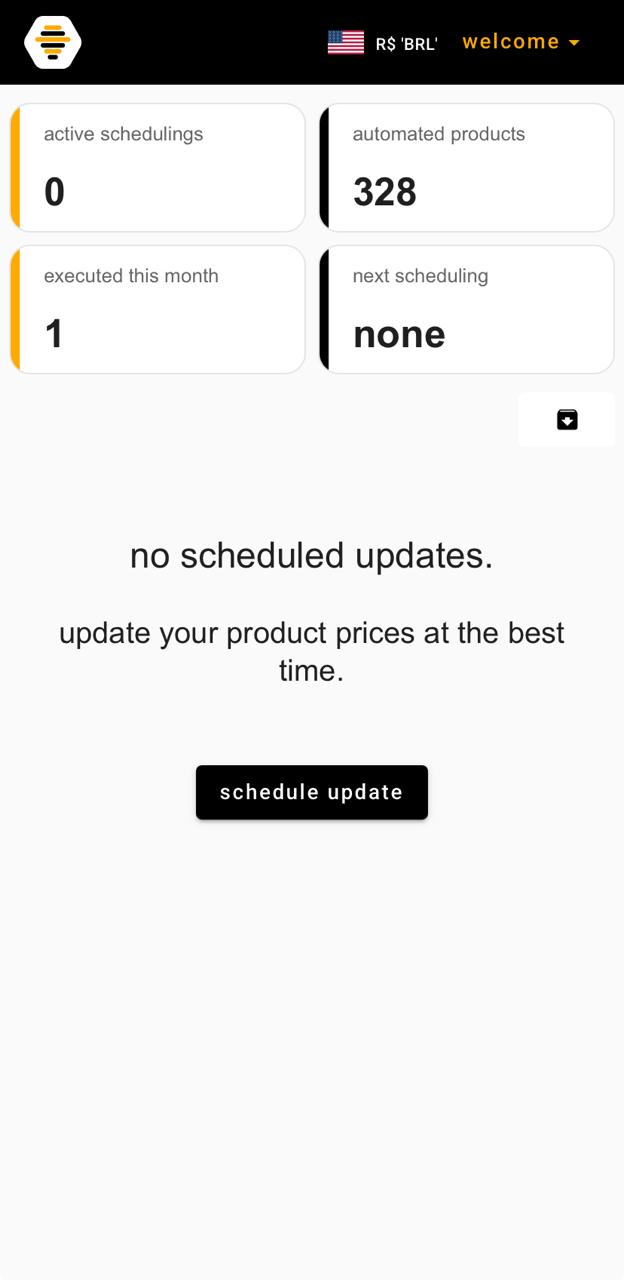
Click schedule update to open the creation wizard. The full process has 5 steps and takes an average of 3 to 5 minutes.
Step 2: set the name, date, and reversal#
In the first step of the wizard, you define three things:
- Scheduling title — a name to identify the campaign (e.g., “Mother’s Day Promotion”). You can enable the tag option so the app automatically marks the products involved during the promotion period.
- Update date and time — when the new prices take effect.
- Automatic reversal — if you enable this option, agendabee reverts to the original prices automatically at the date and time you set. No manual action required.
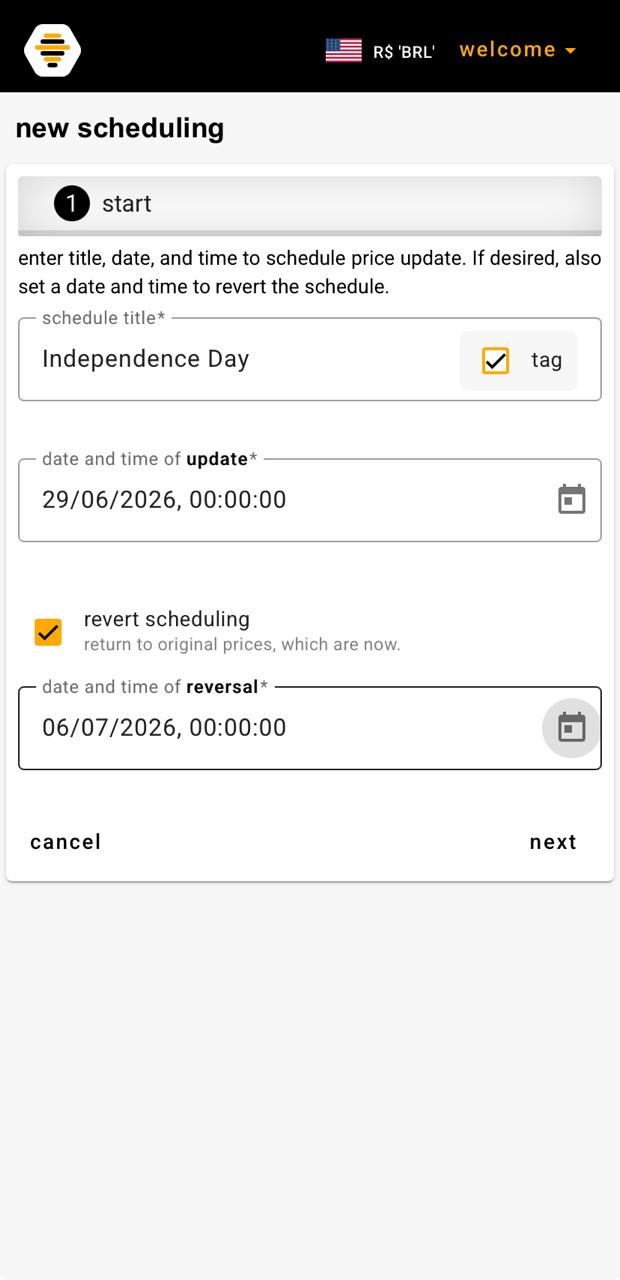
Click next when you’re ready.
Step 3: select the products#
In step 2, the app displays your full Nuvemshop store catalog. You browse through the products, select the ones that will take part in the promotion, and they go to the selected for update list at the bottom of the screen.
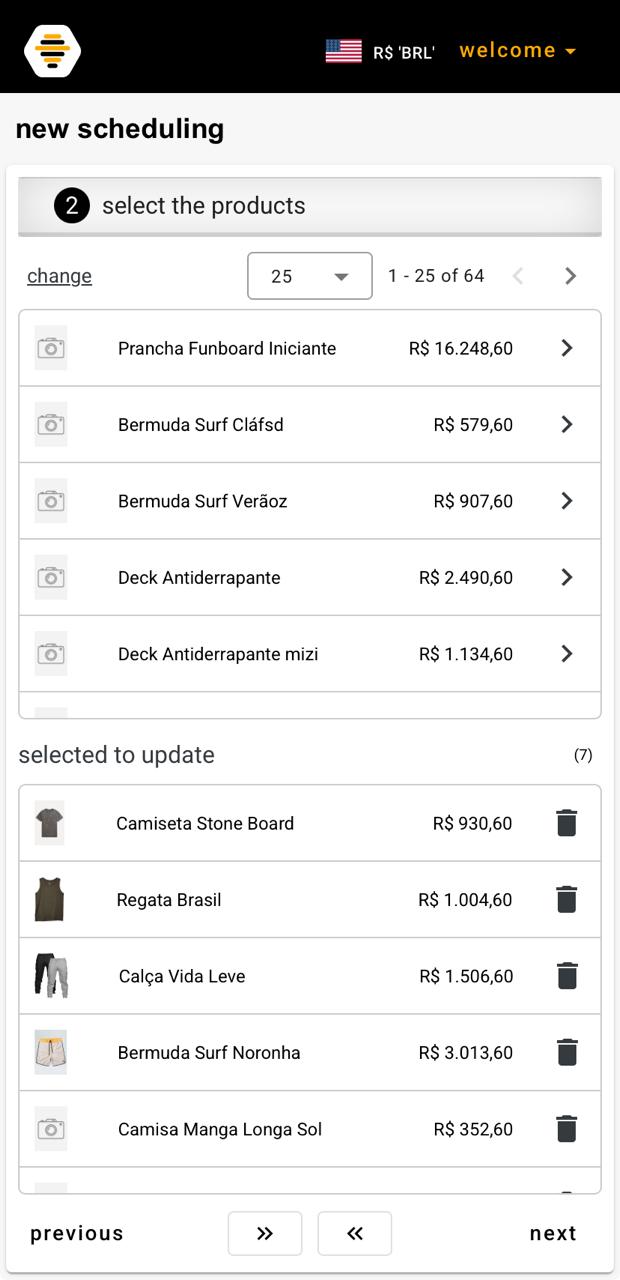
You can select anything from a single product to your entire store catalog. agendabee was built to scale — stores with hundreds of SKUs work without any limitations.
Step 4: set the new prices#
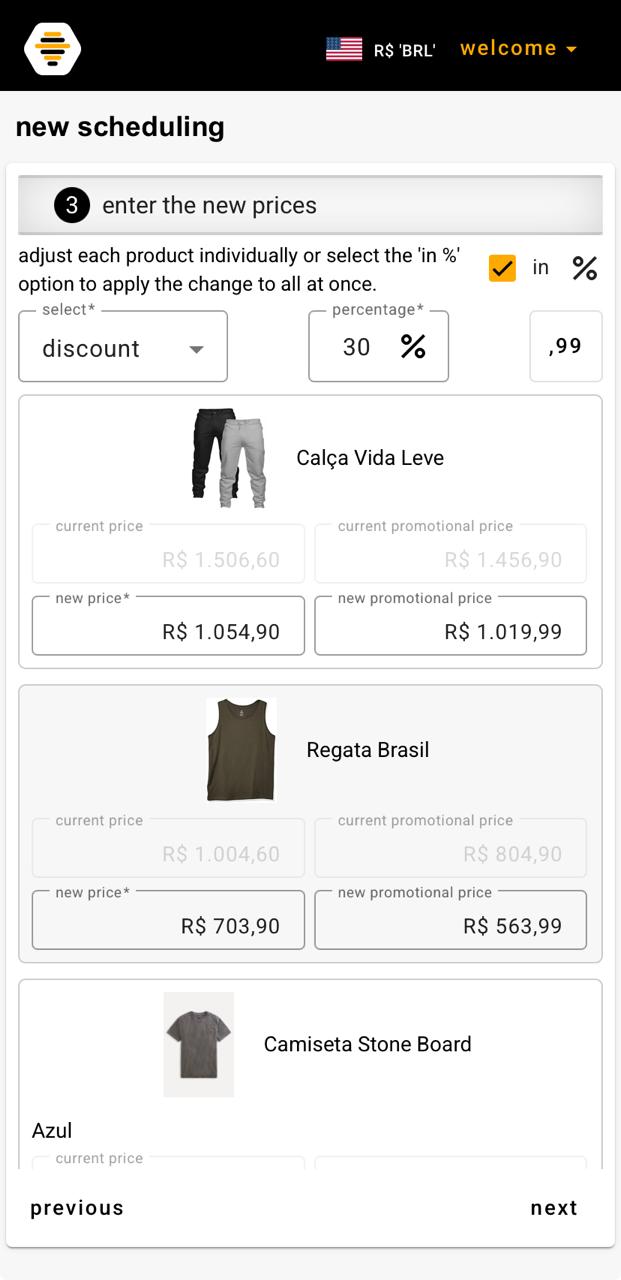
In step 3, you adjust the prices of the selected products. There are two ways to do this:
Individually — edit the price of each product independently.
By percentage — enable the in % option, choose between discount or increase, enter the percentage, and the app calculates and applies it to all products at once. The ,99 field enables automatic rounding to prices ending in ,99 — useful for maintaining the promotional pricing aesthetic.
Step 5: review and confirm#
Before finishing, agendabee shows a complete summary of the scheduling: title, update date and time, reversal date and time, product list, and the new prices alongside the current ones.
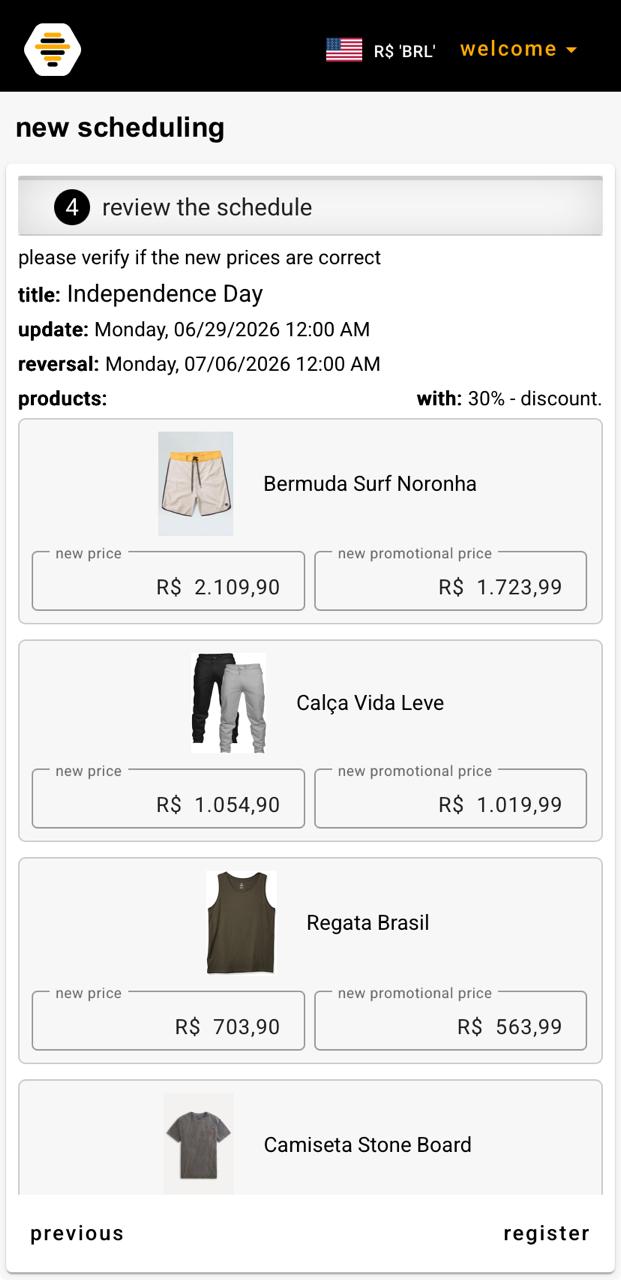
Review everything and click register. If you need to correct anything, use the previous button to go back to the desired step.
Scheduling created. The bees take it from here.#
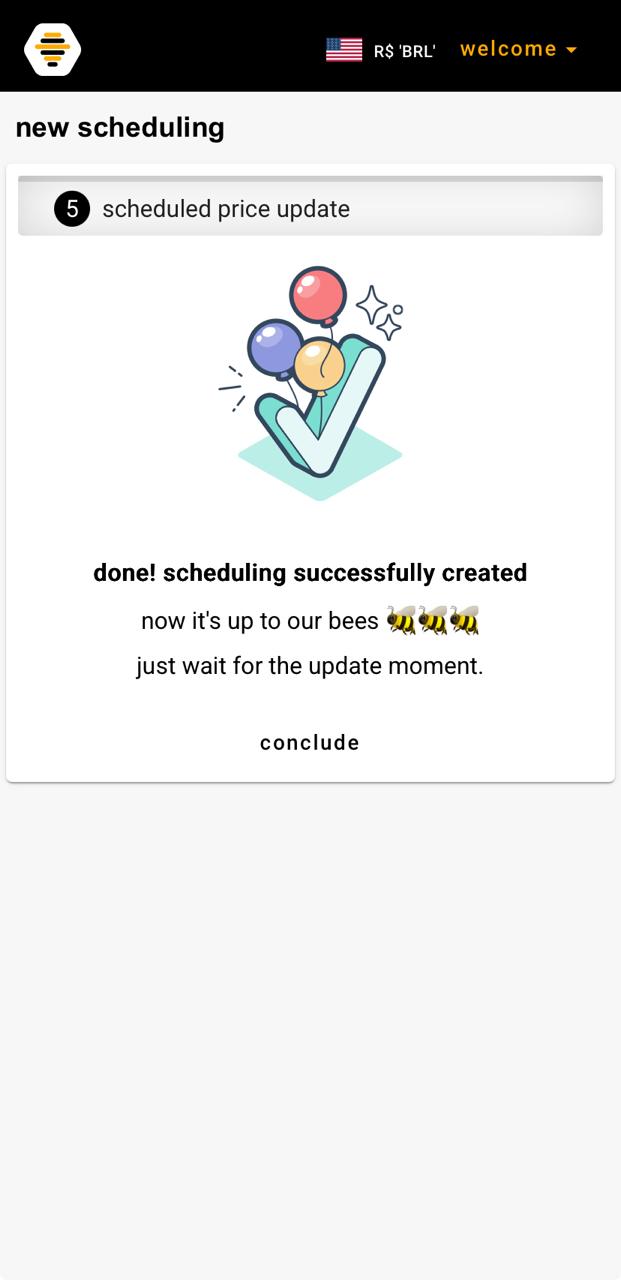
The scheduling appears immediately on your dashboard. If you enabled automatic reversal, the app creates two events in the list: the update and the reversal.
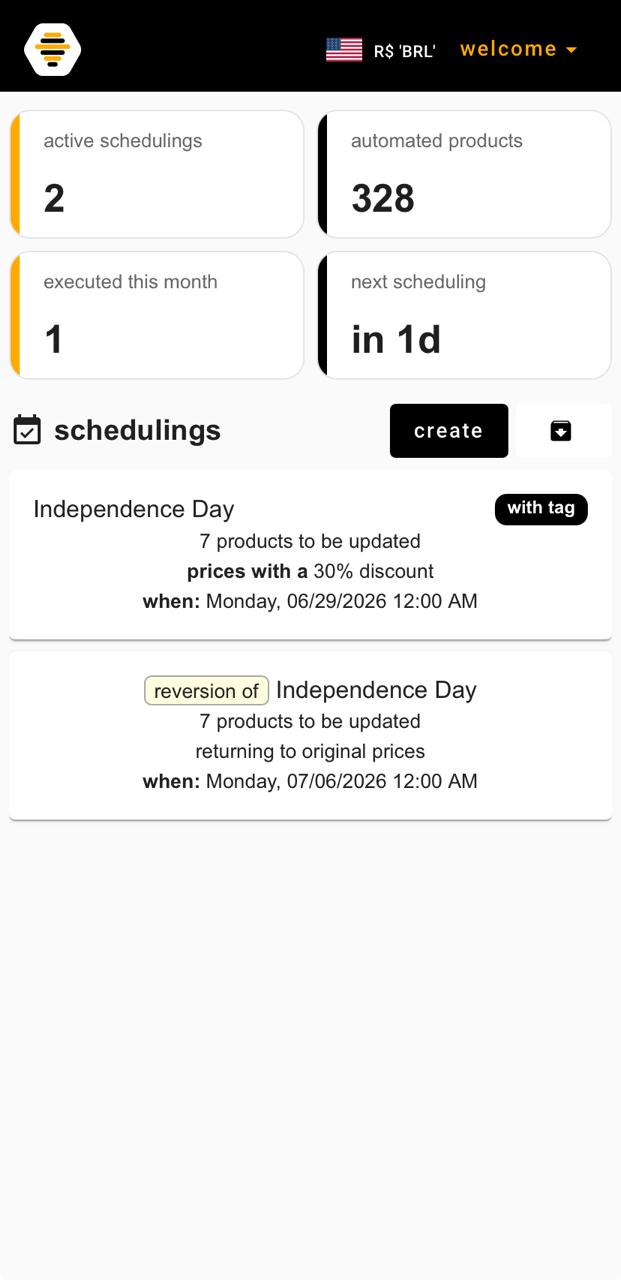
From that moment on, you don’t need to do anything else. The bees monitor the schedule and execute the price changes automatically — both at the start and at the end of the promotion.
agendabee has a 3-day free trial, no credit card required. You can create your first scheduling today and test the complete process with your real store products.
Frequently asked questions#
Do I need to be online when the scheduling runs?
Can I revert prices automatically after the promotion ends?
Can I apply a discount to all products at once?
Does agendabee change any information other than the price?
How long does it take to create a scheduling?
How to create a scheduling in agendabee#
- Step 1: Open the app and click schedule — On the agendabee dashboard, click the “schedule update” button to open the creation wizard.
- Step 2: Set name, date, and reversal — Give the scheduling a name, set the date and time for the price update and, if you want automatic reversal, enable the option and enter the return date.
- Step 3: Select the products — Browse through your Nuvemshop store catalog and select the products that will take part in the promotion.
- Step 4: Set the new prices — Edit values individually or apply a discount or increase percentage across all selected products at once.
- Step 5: Review and confirm — Check the full summary — products, new prices, dates, and times — and click register. From that moment on, the bees take over.